Microsoft Office TrainingThe UK's Number 1 for Microsoft Office Training Sitemap add this page to your favourites/bookmarksBookmark page
 
view a printable version of this pagePrintable version
Plus One Google
Customer: Sign in
Delegate: Sign in
Trainer: Log in

What's the difference between Office 2010 and Office 2007?
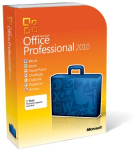
office 2010

VS

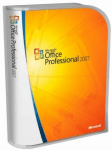
Office 2007

Interested in MS Office Training?

We offer Microsoft Office Training in London and UK wide

Including an Upgrade to Office 2010 course

What's the difference between Office 2010 and Office 2007?

Here we look at the new MS Office 2010 Features and Functions.

The Ribbon interface has been extended to all applications in Office, most notably Outlook and Onenote. Users now have the ability to customise the Ribbon.

The Office button in 2007 has been replaced by a File Menu icon.

Main features of Office 2010:

  1. New picture formatting tools like artistic effects and colour saturation in Word 2010 and Powerpoint 2010 give you more power to express your ideas visually.
  2. Co-Authoring documents in real time in Word, Powerpoint, Onenote, and Excel Web App. Note sharepoint workspace or a windows live account is required.
  3. Excel 2010 has a newly introduced Slicers feature for Pivottables allowing you to filter data on the fly.
  4. In addition, Excel's new Sparklines feature allows you view trends in data by adding an additional column right alongside your data, containing the graphs in each cell:

    Sparklines in Excel 2010
  5. Powerpoint 2010 has the ability to edit and customize videos, you can trim, add fades and bookmark points in your video. In addition you can record a presentation as a video and save its as a Windows Media file.
  6. Powerpoint 2010 allows you to broadcast a presentation over the internet. The recipients of the broadcast can view the presentation in a Web browser and do not need to have Powerpoint installed.
  7. Outlook 2010 provides you with a new conversation view which allows you to group e-mail replies from a single message into a single mail item. The new quick steps feature in Outlook helps you manage your e-mails more effectively by allowing you to customise actions for certain e-mails you choose.
  8. Outlook 2010 allows you to import contacts from social networks such as facebook or LinkedIN.
  9. The new file menu icon exposes the new backstage view which permeates every application. The backstage view not only deals with printing and saving but has options for sharing, versioning, protection and removing metadata.
  10. The new backstage view allows you not only to save to local or network PC's but you can save a document to Sharepoint or Windows Skydrive. (Note in the latter case a windows live account is required).
  11. A new Powerpivot addin is available for Excel 2010. Powerpivot allows you analyse large volumes of data from a SQL server database.
  12. Access 2010 ships with the following new features: web based databases, Application parts, Quick start fields, conditional formatting and Navigation form controls.

Other MS Office 2010 resources

Upgrading to Office 2010?

Have you considered a short Office 2010 training course to help you get the most out of the new version?

There are many different styles of training available, such as a public schedule course, onsite at your home or office, one-to-one training, closed company group training, eLearning (online) and many more styles.

All of these options can be bespoke/tailored to suit your needs, except for public schedule which follows a set syllabus (see example: Excel Introduction 2010). If you're interested in an MS Office 2010 training course, you may like to visit this page.

Also new in Office 2010...

Accessibility Checker

The Accessibility Checker helps people create Office content that is accessible to people with disabilities. A core feature of Word, Excel, and PowerPoint, the Accessibility Checker flags issues that can make content unreadable or difficult to read. In addition, organizations and governments that are concerned about compliance for employees can configure Group Policy settings to customize exactly which accessibility issues are checked.

Application virtualization

Microsoft Application Virtualization (App-V) is another method to deploy Office 2010. Virtualization transforms applications into virtualized, network-available services that are not installed on the users’ computer. Instead, applications can be automatically delivered to the users’ computer as users need them.

By using App-V and Office 2010 together, you can quickly deliver the latest version of Office without having to worry about application conflicts or delays in productivity for users. Deploying Office 2010 with App-V 4.6 (currently in Beta) includes new support for integration with SharePoint Products and Technologies, Outlook Search, and Microsoft OneNote 2010. App-V 4.6 is scheduled for release in 2010.

App-V significantly reduces regression and application interoperability testing. App-V also minimizes the effect on users during application upgrades, patching, and terminations of user rights to applications because restarts and uninstallations are no longer required.

Co-Authoring

Co-authoring simplifies collaboration by enabling multiple users to work productively on the same document without intruding on one another’s work or locking one-another out. This capability requires no additional server setup and is the default status for documents that are stored in Microsoft SharePoint Server 2010. Co-authoring is supported in Word 2010, PowerPoint 2010, and OneNote 2010. Co-authoring Excel 2010 workbooks in SharePoint is supported by using the Microsoft Excel Web App, which is included with Microsoft Office Web Apps.

Licensing and volume activation

Microsoft includes product activation technologies in the following products sold through the Volume Licensing channel: Windows Vista, Windows 7, Windows Server 2008, Windows Server 2008 R2, and now Office 2010. Product activation is verification with the manufacturer to confirm that software is genuine and that its product key is not compromised. Activation establishes a relationship between the software's product key and a particular installation of that software on a device.

Activation types include retail, volume, and OEM, and most require interactive steps by the user or IT professional, such as entering a product key from the packaging, or contacting a networked server or telephone service center. Activation technologies and tools vary according to the different channels for the software — retail, volume, and OEM.

The Microsoft policy requires the activation of all editions of Office 2010. This includes those obtained through a Volume Licensing program. This requirement applies to Office 2010 running on both physical computers and virtual machines.

You can use the following methods to activate Office 2010 with Office Activation Technologies:

  • Key Management Service (KMS). KMS uses a KMS host key to activate a KMS host computer and establish a local activation service in your environment. Office 2010 connects to the local KMS host for activation.
  • Multiple Activation Key (MAK). With a MAK, clients activate Office 2010 online with the Microsoft hosted activation servers or by telephone
  • A combination of KMS and MAK.

Office 2010 64-bit editions

Processors that are 64-bit are quickly becoming the standard for systems ranging from servers to desktop computers. The 64-bit systems can use more virtual and physical memory than 32-bit processors. This lets users work with much larger data sets than they could previously, to analyze and solve large computational problems. Office 2010 introduces native 64-bit versions of Office products to take advantage of the additional capacity provided by 64-bit processors. This additional capacity is only needed by Office users who require Microsoft Excel spreadsheets that are larger than 2 GB, for example. The 32-bit version of Office 2010 provides the same functionality and is also compatible with 32-bit add-ins. This is why Office 2010 will install the 32-bit version by default.

Office Customization Tool changes

The Office Customization Tool (OCT) is the main customization tool that administrators use to customize an installation of Microsoft Office 2010 (and the 2007 Microsoft Office system). The OCT is part of the Setup program and is the recommended tool for most customizations, and is available only with volume licensed versions of Office 2010, such as Microsoft Office Professional Plus 2010. To determine whether an Office 2010 installation is a volume licensed version, check the Office 2010 installation disk to see whether it contains a folder named Admin. If the Admin folder exists, the disk is a volume license edition; otherwise, the disk is a retail edition.

Two architecture-specific versions of the OCT, one for 32-bit Office 2010 and one for 64-bit Office 2010. The 64-bit version of the OCT supports 64-bit client editions of Office 2010, and provides the same user interface, capabilities, and OPA settings as the 32-bit version. The OCT files are located in the Admin folder under the x86 (32-bit) and x64 (64-bit) folders, respectively.

Import feature that lets administrators import 32-bit OCT customization (.msp) updates into the 64-bit version of the OCT and 64-bit .msp updates into the 32-bit version of the OCT. This allows administrators of mixed environments (32-bit and 64-bit) to do the Setup customizations one time. For more information, see Import an Office 2010 Setup customization file.

Office Web Apps

Microsoft Office Web Apps are online companions to Microsoft Word, Excel, and PowerPoint. They enable people to view, share, and work on documents together with other online users, working across personal computers, mobile telephones, and the web. Business customers who are licensed for Microsoft Office 2010 through a Volume Licensing program can run Office Web Apps on-premises on a server that runs Microsoft SharePoint Foundation 2010 or Microsoft SharePoint Server 2010. Office Web Apps are also available to consumers through Windows Live

Security changes

Fortunately, several new security controls in Office 2010 make it easier for IT professionals to build a robust defense against threats without diminishing information worker productivity. Five of the new controls provide countermeasures for hardening and reducing the attack surface and mitigating exploits. These include the following:

Data Execution Prevention (DEP) support for Office applications A hardware and software technology that helps harden the attack surface by preventing the execution of viruses and worms that exploit buffer overflow vulnerabilities.

Office file validation An Office software component that helps reduce the attack surface by scanning files for file format (file fuzzing) exploits before the files are opened by an application.

Expanded file block settings A suite of Group Policy settings that helps reduce the attack surface by providing more specific control over the kinds of files an application can access.

Office ActiveX kill bit An Office feature that administrators can use to prevent specific ActiveX controls from running within Office applications.

Protected view A sandbox environment that helps mitigate attacks by enabling users to preview untrusted or potentially harmful files in a secure viewer.

In addition to these new controls, Office 2010 provides several security enhancements that further harden the attack surface by helping to ensure the integrity and confidentiality of data. This includes the following:

  • Cryptographic agility for Microsoft Excel 2010, Microsoft PowerPoint 2010, and Microsoft Word 2010.
  • Trusted time stamping support for digital signatures.
  • Domain-based password complexity checking and enforcement.
  • Encryption strengthening enhancements.
  • Improvements to the password to modify feature.
  • Integrity checking of encrypted files.

Office 2010 also provides several security improvements that have a direct effect on information worker productivity. Improvements in the message bar user interface, a trust model that remembers users’ trust decisions, Trust Center user interface settings, and single identity management are some examples of new features that help make security decisions and actions less intrusive to information workers. In addition, many of the new and enhanced security controls can be managed through Group Policy settings. This makes it easier for you to enforce and maintain your organization’s security architecture.

SharePoint Workspace 2010

Microsoft SharePoint Workspace 2010 is a client application that provides easy synchronization of online and offline contributions with SharePoint libraries and lists. By using an Internet connection and Write permission to a SharePoint site, SharePoint Workspace users can create personal site workspaces on their computers. These workspaces enable them to update library and list content locally and easily synchronize with the site. SharePoint Workspace also offers peer collaboration workspaces that synchronize content among invited members. SharePoint Workspace 2010 supports multiple workspace choices and is more tightly integrated with SharePoint processes than its predecessor, Office Groove 2007.

Silverlight interactive guides

Microsoft Silverlight powers the interactive guides that are available with Office 2010. These interactive guides provide simulated menus from previous versions of Office. When users click commands on these menus, the guides show them where the same commands are located on the ribbon or in the Backstage view of Office 2010. We recommend that you deploy Silverlight with Office 2010 if your organization wants to use the interactive guides. Learn where menu and toolbar commands are in Office 2010

User interface changes

Office 2010 builds on the foundation that was established in the 2007 Microsoft Office system by including the ribbon in all Office applications and by adding a new companion feature to the Ribbon, the Microsoft Office Backstage view.

The Office Fluent UI is optimized for efficiency and discoverability through the layout of commands that are organized into tabs that group related commands together. Both the ribbon and the new Backstage view can be customized by using the Ribbon extensibility model known as RibbonX.

article

Assess Training Needs To Boost Professionalism

Where do you start when it comes to training your workforce so it becomes more skilled? Listed are several common and effective ways of identifying training needs, so employees can develop their professionalism.

» Article: Management training provider

forum postHow do you save master slides on PowerPoint?

» Forum post: Master Slides

hint tipYou can rename and delete files any time you are using a FILE > OPEN or a FILE > SAVE dialog box.
When you see the list of files when browsing in the current folder, you can treat is just like the windows explorer window, by selecting and then editing.
...

» Tip: Rename delete open close


Rate this page:
2.5/5 (27 votes cast)
Accredited Training Provider: Institute of IT Training Institute of Leadership and Management - Certified Courses
Microsoft Certified Partner
Security Seal verified by visa, mastercard securecard

Mini sitemap. These are the main areas of our web site. Full sitemap.

Management training

Professional Skills courses
Project Management Course London
Project Management Courses London
Project Management Training London
Project Management Training
Project Seminar
Project Seminars
Time Management Course London
Time Management London
Time Management Courses London
Time Management Training London
Introduction to Finance course
Assertiveness Skills course
Effective Communications Skills training
Presentation Skills London

Training Formats

Public scheduled courses
On-site training
Closed company courses

Consultancy
Application Development

Blogs

Excel Training
MS Project Training
Microsoft Training Blog

Version differences

Office 2010 vs 2007
MS Project version differences

Training Information

London Computer Training
Computer Training London
Docklands Training Courses
Docklands Training London

Training venues London
Client list
FAQ
Pricing and availability
Course details / Syllabus

Training Articles
Training Information

Microsoft training

Microsoft Office training
& IT Applications

Microsoft Project training
Microsoft Outlook training
Microsoft Powerpoint training
Microsoft Word training
MS Project courses
MS Project training
Outlook courses
PowerPoint courses
PowerPoint training
VBA courses
Word courses
Microsoft.training
(more...)

Excel Training

Excel courses
Excel Training Courses Medway
Autonumber in Excel
Microsoft Excel training
Basic Excel Courses
Basic Excel Course
Basic Excel Training

Interested in MS Access training?

Access courses
Microsoft Access training
Microsoft access courses
Microsoft training access course
Microsoft+access+training
Access courses in london

Training provider

Training providers
IT training companies
IT training providers
Management Training providers
Management Training provider

Event history, feedback results
Events in 2012 · 2011 · 2010 · More

See also

Crystal Reports training

Sources