





98.8% Of all customers recommend us, we're so confident about our results we publish all reviews and stats
View Live Stats View Reviews


Call us on 0207 987 3777 or Search our website
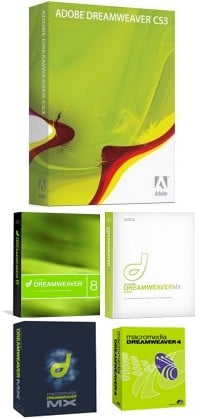
Our DreamWeaver training courses can be held at any of our London training centres, and on-site throughout the UK. Tailored and one-to-one Dream weaver web design courses, and DreamWeaver consultancy services are available upon request, please call for details.
DreamWeaver is a powerful What-You-See-Is-What-You-Get (WYSIWYG) web site building tool and is the industry standard for web page design software.
With DreamWeaver you can go from start to finish, creating and maintaining basic websites to advanced applications that support best practices and the latest technologies.
Dreamweaver CS3 Introduction: 2 day course
DreamWeaver 8 Introduction
DreamWeaver 8 Intermediate
DreamWeaver MX Introduction
DreamWeaver MX Intermediate
DreamWeaver Advanced and Consultancy
Visit our Dreamweaver version differences page to find out.
Please call us if you require further information on our Microsoft training course Dreamweaver.
DreamWeaver is a web authoring tool that allows web developers to code while viewing the site as they work. Instead of spending hours writing HTML tags to code a complex table, the developer can build the table, resize it, and view it exactly as it will appear on a web page.
For more information on our Dreamweaver + courses including: introduction to Dreamweaver London training course, course design Dream weaver web, course+design+Dream+weaver+web, courses+in+Dreamweaver, Dreamweaver-course and Dreamweaver course in London please see our Dreamweaver 8 Introduction page.
We run our advanced Dreamweaver courses as on-site or closed company events. We also offer web site consultancy and Dreamweaver courses London basic. For more information on our advanced Dreamweaver training course London, Dreamweaver+course+London, Dream+weaver+training+course and advanced Dreamweaver course London please see our Dreamweaver 8 Advanced page.
In addition to our Dreamweaver 8 training London we also run a 2 day Dreamweaver CS3 course. Our 2 day CS3 course will give you a solid grounding in the latest version of Dreamweaver. For more information please see our Dreamweaver CS3 page.
|
· DreamWeaver CS3 Intro: 2 day course
· DreamWeaver
8 Introduction
· DreamWeaver
8 Intermediate
· DreamWeaver
MX Introduction
· DreamWeaver
MX Intermediate
· DreamWeaver
Training On-site UK
· DreamWeaver
Consultancy
· DreamWeaver
version differences
· Adobe
Dreamweaver Training
· See also: Frontpage and Web
design
· Client list
· Onsite Training
· Pricing policy
· Order form / How to book
· Training formats
· Training vouchers
· Microsoft Certification

TrustScore
4.9
/ 5
2082 reviews




Formerly Best Training
© 2024 . All Rights Reserved.
All prices offered for business users and exclude VAT. E&OE
2nd Floor, CA House, 1 Northey Street, Limehouse Basin, London, E14 8BT. United Kingdom
We'll call during UK business hours
Server loaded in 0.03 secs.
